 Shelvd
- launch
Shelvd: park the idea, finish the feature
Why we built an MCP idea parking lot for developers: capture ideas from your AI client without losing focus, and get reminded until they ship.
· 13 min read
On this page
- The problem with ideas mid-feature
- Capture without context switching
- One place to see everything
- Reminders that do not vanish
- Snooze, start and finish
- A day with Shelvd
- Why MCP and not another app
- Plans
- Why reminders are tied to due dates
- Who this is for
- Open source
- What gets stored, and how it is protected
- What Shelvd does not do
- Try it
Developers lose ideas in two ways. The idea comes mid-feature and you cannot stop to write it down. Or you write it down, and the note sits in a pile you never open.
Shelvd is built for both problems: park the idea now, finish the feature first, and come back to the idea when you are ready. This post explains what Shelvd does, how each part works, and where the limits are. Everything below was checked against the code that runs the product.
The problem with ideas mid-feature#
You are deep in a change. The tests are half green. A thought arrives: the export should stream instead of buffering, or the settings page needs a timezone detector, or that flaky test deserves its own ticket.
You have three bad options. You can drop what you are doing and chase the idea. You can open a notes app, which costs you the thread of the work in front of you. Or you can trust yourself to remember it later, which rarely works.
Each option has a cost. Chasing the idea derails the feature. Switching apps breaks focus, and the note often lands in a pile with no date and no owner. Trusting memory loses most ideas by the next morning.
The second failure is quieter. Even when you do capture the idea, nothing brings it back. A note without a reminder is a graveyard. Most people have a notes app full of items they wrote once and never read again.
Shelvd attacks both failures. Capture must cost almost nothing, and the idea must come back to you at the right time.
Capture without context switching#
You already have an AI assistant open while you work. Shelvd lets that assistant hold the idea for you.
You tell the assistant to park it. The assistant calls the park_idea tool on the Shelvd server over the Model Context Protocol, or MCP. MCP is the open standard that lets clients such as Claude Code and Cursor call external tools. Because it is a standard, one server works in every client that supports it.
A park call can carry:
- a title, up to 200 characters
- details, up to 5,000 characters
- a project name
- a due date, written in plain language
- an optional repeat interval for reminders
- context about where you were working
You never leave the editor. The whole exchange takes a few seconds, and your attention stays on the code.
Context that makes the idea usable later#
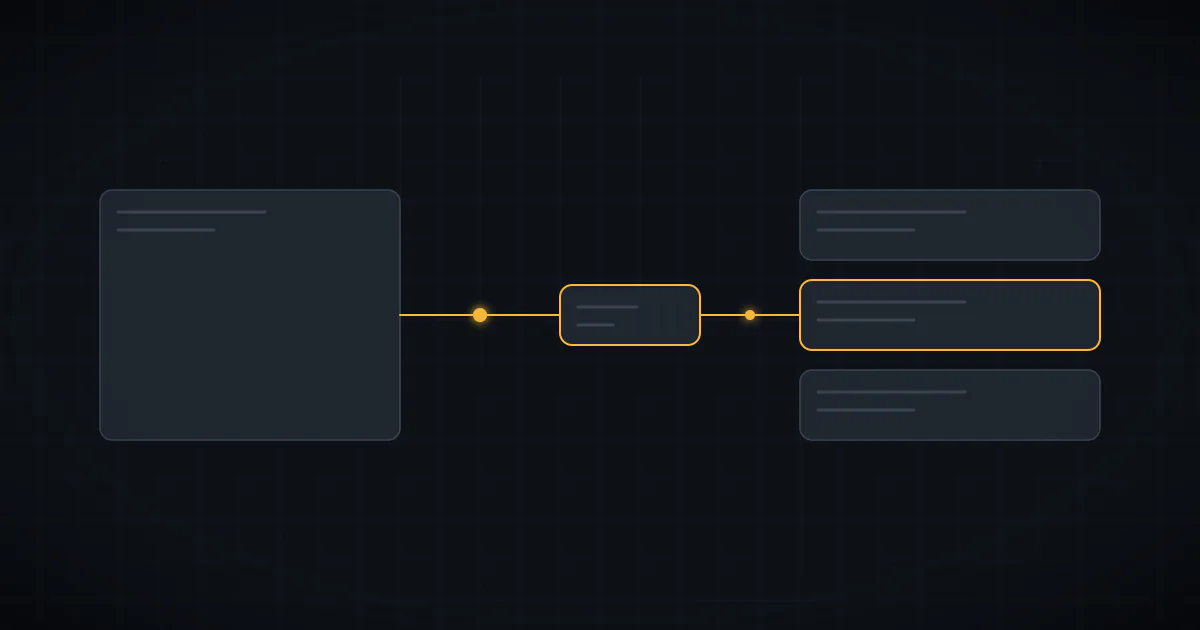
An idea is only useful if you can pick it up again. "Fix the export" means little three weeks later. So Shelvd stores the surroundings with it.
The server tells the assistant to include the editor name, the git repo, the current branch and the files in play. It can also store a short summary of the conversation. The file list holds up to 20 relative paths, and the summary holds up to 1,000 characters.
The server cannot see your workspace on its own. That is why its instructions ask the assistant to run git remote get-url origin and git branch --show-current before it parks anything. Ideas that arrive without context show up empty in the dashboard, and the assistant is told this up front.
The dashboard also offers a copy button that builds a ready-made prompt from the stored context. It lists the title, notes, editor, repo and branch, files and summary. You paste it into a fresh session and the new session knows what you meant.
Dates in plain language#
You do not need a date picker. The server reads phrases like "tomorrow morning", "in 3 hours", "next Tuesday" and "friday 3pm". It uses the chrono date parser and reads the phrase in your own timezone.
Two details matter here. First, dates are read forward, so "Tuesday" means the next Tuesday and never a past one. Second, a phrase without a time of day gets your default reminder time, which you can set in settings. A task due "Friday" fires at your default time on Friday.
If the server cannot read the phrase, it does not fail the park. The idea is saved with no due date, and the reply says so. You lose nothing.
Projects without manual sorting#
Every idea belongs to a project. If you name one, the idea goes there. If you do not, the repo name becomes the project. If there is no repo either, the idea lands in the Inbox, and the tool tells the assistant to set a project with update_idea.
The result is that your ideas sort themselves by the repository you were in. You can filter the dashboard by project, and you can ask your assistant to list ideas for one project only.
One place to see everything#
The Shelvd dashboard groups ideas into four buckets:
- Due today for ideas whose due time falls on your current local day
- Overdue for anything past due
- Upcoming for future dates
- Parked backlog for ideas with no date, where no reminders are active
You can filter by bucket, by project and by the editor an idea came from. You can search by text. A board view lays the buckets out as columns. A quick-add box takes a line such as "fix flaky test tomorrow 3pm #infra". It splits that into a title, a due date and a project, and it removes the date phrase from the title.
There is also a calendar with Month, Week and Agenda views. You can move a task to another day, and it keeps its time of day.
The dashboard is useful, but it is not the main surface. The main surface is the conversation you are already having.
Reminders that do not vanish#
A single notification gets swiped away. Shelvd treats the reminder as the point of the product, so it works harder here than most tools.
What every plan gets#
When an idea comes due, Shelvd sends one push notification to your devices. It also sends one email at the same moment. Both carry two signed links: Done and Snooze for one hour.
Each morning at 8:00 in your timezone, Shelvd also sends a digest email. It lists your overdue ideas, up to 50 titles. You can turn email off in settings.
What Pro adds#
Pro keeps nudging. After the first push, Shelvd sends another every 15 minutes by default, until you tap Done or Snooze. You can change that interval globally, or per idea through the nagEveryMinutes field.
The cadence is not endless. After 20 nudges, the interval slows to once an hour. Nudging also stops 24 hours after the due time. Pro users can widen or narrow that window in settings, and the digest email keeps listing the idea after pushes stop.
This design is deliberate. A reminder that never stops becomes noise, and noise gets muted. A reminder that gives up too early gets forgotten. The slowdown and the window try to sit between the two.

Quiet hours#
Reminders that wake you at 3 a.m. get turned off. So Shelvd has quiet hours.
Free accounts use a fixed window from 22:00 to 08:00 local time. Pro accounts can set their own start and end, switch enforcement off, and pause reminders on weekends. A nudge that falls inside quiet hours does not count as a real nudge. The server hands the count back and waits until quiet hours end. With weekend pause on, it waits until Monday morning.
Done and Snooze from the notification#
You should not have to open the app to clear a reminder. The push payload includes both links, so you can act from the notification.
The links are signed with an HMAC derived from the app secret, and they expire after 24 hours. Opening a link shows a button first, and only pressing the button changes anything. That detail matters because email scanners prefetch links. A scanner that follows a link would otherwise mark your idea done before you ever saw it.
Delivery channels#
Push uses the Web Push standard. It works on Android and on iOS 16.4 or later after you add Shelvd to your home screen. You can enable push per device, send a test push, and remove devices from settings. Email is the fallback and uses a separate on/off switch.
Snooze, start and finish#
Ideas move through a few states: parked, snoozed and done. The MCP tools map to them directly.
snooze_idea pushes the due time later. It takes either a number of minutes or a date phrase. complete_idea marks the idea done. start_idea returns a short brief for resuming work: the title, project, due time, details, repo and branch, files, summary and notes.
That last tool is easy to overlook. When you say "let's work on the CSV export idea", the assistant can call start_idea and rebuild your context in one step. The brief is labeled as stored user data and not as instructions, so text inside an old idea cannot take control of the assistant.
Each idea also keeps an event log of up to 50 entries. It records parking, nudges sent, snoozes and completion.
A day with Shelvd#
A concrete day shows how the pieces fit.
At 10:15 you are refactoring the reports page. You notice the CSV export loads every row into memory. You say: "Park this for Thursday: stream the CSV export instead of buffering." The assistant reads your git remote and branch, then calls park_idea with the repo as the project. You keep refactoring.
At 11:40 a second thought arrives about the empty state on the same page. You park that too, with no date. It lands in the Parked backlog, where no reminders fire.
On Thursday at your default time, your phone buzzes. The push says the idea is due, with Done and Snooze buttons. You are in a meeting, so you snooze for an hour from the notification. An hour later it buzzes again. On Pro it keeps buzzing every 15 minutes until you act.
After lunch you open your editor and say: "Start the CSV export idea." The assistant calls start_idea, which returns the repo, branch, files and your original summary. The assistant opens the right files. You finish the work and say "mark it done". The nudges stop, and the open-idea count drops by one.
At no point did you open a notes app, copy a link or retype what you meant.
Why MCP and not another app#
A separate app asks you to change tools at the worst moment. An MCP server asks nothing of your attention, because the assistant is already there.
There is a second benefit. Because the assistant can also read the inbox, ideas flow both ways. You can ask what is waiting for this repo, search by keyword, or have the assistant add a note to an idea after a related change. The idea store becomes part of the conversation and not a place you visit.
Open standards matter here too. Shelvd does not depend on one vendor's plugin system. Claude Code, Cursor, Claude Desktop and other clients can connect with the same URL. If you switch editors next year, your ideas stay where they are.
Finally, a hosted server removes setup. You add one URL and sign in. There is no local process to keep running and no API key to paste into a config file.
Plans#
| Plan | Price | What you get | |---|---|---| | Free | $0 | Up to 50 open ideas, all MCP clients, dashboard and calendar, one push and one email at the due time, daily overdue digest, JSON and Markdown export | | Pro | $3/month or $24/year | Unlimited ideas, repeating push reminders, custom quiet hours, weekend pause, adjustable nudge window | | Lifetime | $39 once | Everything in Pro, limited to the first 100 buyers |
Only open ideas count toward the free limit. Mark one done and the room comes back. When you hit the limit, the park call returns a clear message with a link to upgrade, and the assistant relays it to you.
Subscriptions are handled by Lemon Squeezy. A cancelled subscription keeps Pro access until the end of the paid period. A refunded lifetime order returns the account to Free.
Export is open to everyone. You can download every idea, decrypted, as JSON or Markdown from settings. Your data is yours on any plan.
Why reminders are tied to due dates#
Some tools nag about everything. Shelvd does not. An idea with no due date never sends a push. It sits in the backlog and costs you nothing.
That split is on purpose. Parking and scheduling are different acts. Parking says "I do not want to lose this". Scheduling says "I will deal with this at a set time". Mixing them leads to a reminder system that shouts about every passing thought, and you learn to ignore it.
When you do give an idea a date, you make a small promise. Shelvd holds you to it politely, and the quiet hours, the nudge window and the snooze link keep that promise from becoming a burden.
Who this is for#
Shelvd suits developers who work with an AI assistant all day and keep losing small ideas. Side-project builders are a natural fit. So is anyone who ships features in short bursts and wants a place for the "while I'm here" thoughts that would otherwise derail the work.
It is not a project management tool. There are no assignees, sprints or boards for teams. It is a parking lot. You park an idea, and Shelvd brings it back.
Open source#
The local MCP server, shelvd-mcp, is MIT licensed. It runs on your machine and keeps ideas in a local file, so you can audit every line or self-host it. Source is on GitHub.
The hosted version adds what a local file cannot: the web dashboard, the calendar, sync across devices and push notifications to your phone. If you start local and move to hosted later, tell your assistant to connect Shelvd to your account. Your local ideas are imported once, in a batch of up to 500.
What gets stored, and how it is protected#
Shelvd stores titles, details, notes and the captured context: repo, branch, file names and a summary. It never stores your source code.
Task text is encrypted at rest with AES-256-GCM, using a random IV for each value. The OAuth layer stores only hashes of codes and tokens. Access tokens last one hour, and refresh tokens last 90 days and rotate on use. Each user is limited to 60 MCP calls per minute.
Every query is scoped to the user ID taken from the verified token. The assistant cannot ask for another account's ideas, because the identity never comes from the request body.
What Shelvd does not do#
Being clear about limits saves you time.
- It does not read your repository. It stores only what the assistant tells it.
- It does not run your code or create tickets in other tools.
- It does not guess dates it cannot parse. It saves the idea undated and tells you.
- It does not nag forever. Pushes stop after your window, and the digest takes over.
Try it#
Sign in, add the MCP URL to your client, and park something. The connect guide takes about a minute. For a deeper look at the day-to-day workflow, read how to keep an idea inbox that Claude can read.
Start with one idea you would have lost today. Park it, keep coding, and let Shelvd bring it back when it is time.
Park your next idea in Shelvd
Save it from Claude, Cursor or Codex. Get nudged until it ships.
Launch App